






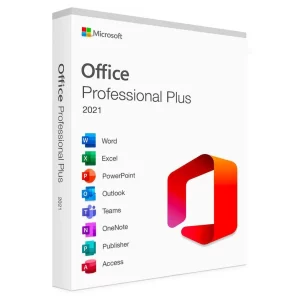
Microsoft Office is one of the most popular software suites in the world. It includes a variety of applications such as Word, Excel, PowerPoint, and Outlook, which are used for various purposes, including word processing, creating spreadsheets, making presentations, and managing email. Microsoft Office 2021 Professional Plus is a one-time purchase (perpetual licence) version of the software, which includes new features and improvements over earlier versions. In this article, we will discuss how to download Microsoft Office 2021 Professional Plus Licence Key.
Step-by-Step Guide:
Step 1: Visit the Official Microsoft Website
The first step to download Microsoft Office 2021 Professional Plus Licence Key is to visit the official Microsoft website. You can either type “Microsoft Office 2021” in the search engine or go directly to the Microsoft website.
Step 2: Choose the Edition
After you have accessed the Microsoft website, you need to choose the edition that suits your needs. Microsoft Office 2021 Professional Plus is the most advanced edition, which includes all the applications and features. However, it is also the most expensive one. Therefore, you should choose the edition that meets your requirements and budget.
Step 3: Select the Language and Platform
Once you have chosen the edition, you need to select the language and platform. Microsoft Office 2021 is available in different languages and platforms, including Windows, Mac, and mobile devices. Make sure to choose the language and platform that is compatible with your device.
Step 4: Purchase the Licence Key
After you have selected the edition, language, and platform, you need to purchase the licence key. The licence key is a unique code that allows you to activate Microsoft Office 2021 Professional Plus. You can either buy the licence key directly from Microsoft or from a third-party vendor.
Step 5: Download and Install Microsoft Office 2021 Professional Plus
Once you have purchased the licence key, you can download and install Microsoft Office 2021 Professional Plus. You can download it from the official Microsoft website. Make sure you only download it from a reliable and trustworthy source to avoid any security risks.
Conclusion:
In conclusion, Microsoft Office 2021 Professional Plus is a powerful and versatile software suite that is widely used for various purposes. To download and install it, you need to follow the step-by-step guide mentioned above. Moreover, make sure to purchase the licence key from a reliable and trustworthy source to avoid any security risks. By following these guidelines, you can easily download and install Microsoft Office 2021 Professional Plus Licence Key and enjoy its new features and improvements.
Related guide: How to download and activate Autodesk AutoCAD
What is Microsoft Office 2021?
Microsoft Office 2021 is a version of the Microsoft productivity suite that you buy once, rather than paying a monthly or yearly subscription. It includes the core desktop apps such as Word, Excel, PowerPoint and Outlook, which people use for writing documents, building spreadsheets, creating presentations and managing email.
Unlike Microsoft 365, which is a subscription service that receives new features as they are released, Office 2021 is a one-time purchase that keeps the features it launched with. Some users prefer it because they pay once and do not need the latest cloud features.
To buy Microsoft Office 2021 Professional Plus from our UK store, use the following link: Buy Microsoft Office 2021 Professional Plus
